
Crazy Mustache Salon Beard day1.2 - Google Play
You'll be able to see results in few seconds.
Publisher Description
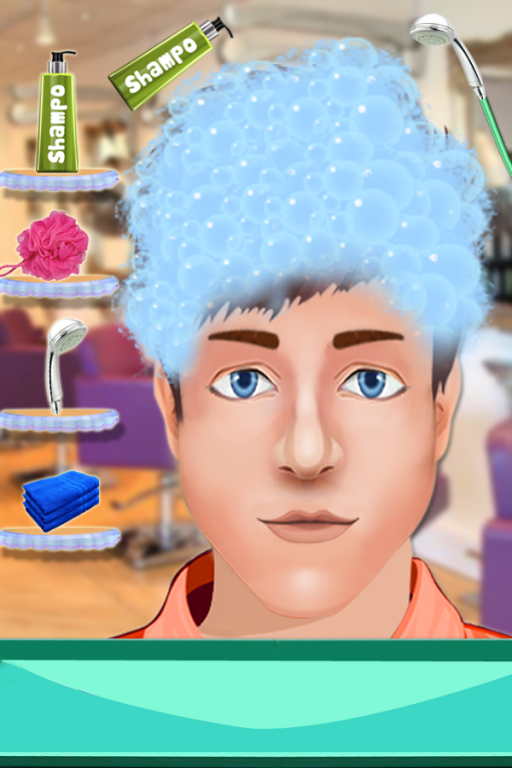
After a long time Mr. Billy comes to crazy beard salon boy which is a barber shop to get ready his stylish mustache and beard combination with hair cleaning and perfect dressing. Crazy Beard Salon is favorite barber shop of Mr. Billy. Mr Billy called this barber shop as crazy mustache shop because the beautician make his mustache cutting very clean and smooth. His friends called Billy to Billy Beard.Billy beard attend crazy beard party coco summer in now a days and meet his girl friend in upcoming valentine day. The complete name of billy beard is prince billy beard and as the name mentioned that Mr Billy is a prince and want to get ready for his princess. Billy comes to beard booth for setting beard and mustache.
Prince Billy asked barber to be his date of incoming valentine day! Help him get ready so you have the most handsome date in the land. Take him to your spa to clean him up, shave his face, give him a cool hairstyle, and dress him up. Valentine day could by the fairytale romance you've been waiting for, so make sure your story starts off with a bang of Prince Billy Beard
How to play
Use Tons of tools. Razor blade, clippers, electric shavers
grow a beard, long beard, full beard, mustache and beard, pointed beard, billy-goat beard, blue beard
Hairstyles of your choice!
Apply for Tons of decorations. Sunglasses, hats, ties, clothes...
Finally take a photo with your Mr. Perfect!
About Crazy Mustache Salon Beard day
The company that develops Crazy Mustache Salon Beard day is Easy Brain Solutions. The latest version released by its developer is 1.2.
To install Crazy Mustache Salon Beard day on your Android device, just click the green Continue To App button above to start the installation process. The app is listed on our website since 2016-08-29 and was downloaded 0 times. We have already checked if the download link is safe, however for your own protection we recommend that you scan the downloaded app with your antivirus. Your antivirus may detect the Crazy Mustache Salon Beard day as malware if the download link to com.easybrain.crazy.beard.salon is broken.
How to install Crazy Mustache Salon Beard day on your Android device:
- Click on the Continue To App button on our website. This will redirect you to Google Play.
- Once the Crazy Mustache Salon Beard day is shown in the Google Play listing of your Android device, you can start its download and installation. Tap on the Install button located below the search bar and to the right of the app icon.
- A pop-up window with the permissions required by Crazy Mustache Salon Beard day will be shown. Click on Accept to continue the process.
- Crazy Mustache Salon Beard day will be downloaded onto your device, displaying a progress. Once the download completes, the installation will start and you'll get a notification after the installation is finished.
Program Details
System requirements
Download information
Pricing
Version History
version 1.2
posted on 2016-08-29
Add More T-Shirts,Some Bug Fixes
Disclaimer
Official Google Play Link
We do not host Crazy Mustache Salon Beard day on our servers. We did not scan it for viruses, adware, spyware or other type of malware. This app is hosted by Google and passed their terms and conditions to be listed there. We recommend caution when installing it.
The Google Play link for Crazy Mustache Salon Beard day is provided to you by apps112.com without any warranties, representations or guarantees of any kind, so access it at your own risk.
If you have questions regarding this particular app contact the publisher directly. For questions about the functionalities of apps112.com contact us.
